
Rich template library
Browse categorized business email templates and quickly find the right message for common scenarios.
Generate professional templates with AI, then save, search, preview, and insert them in seconds inside Outlook. SMART Template helps your team write faster while keeping messaging consistent.
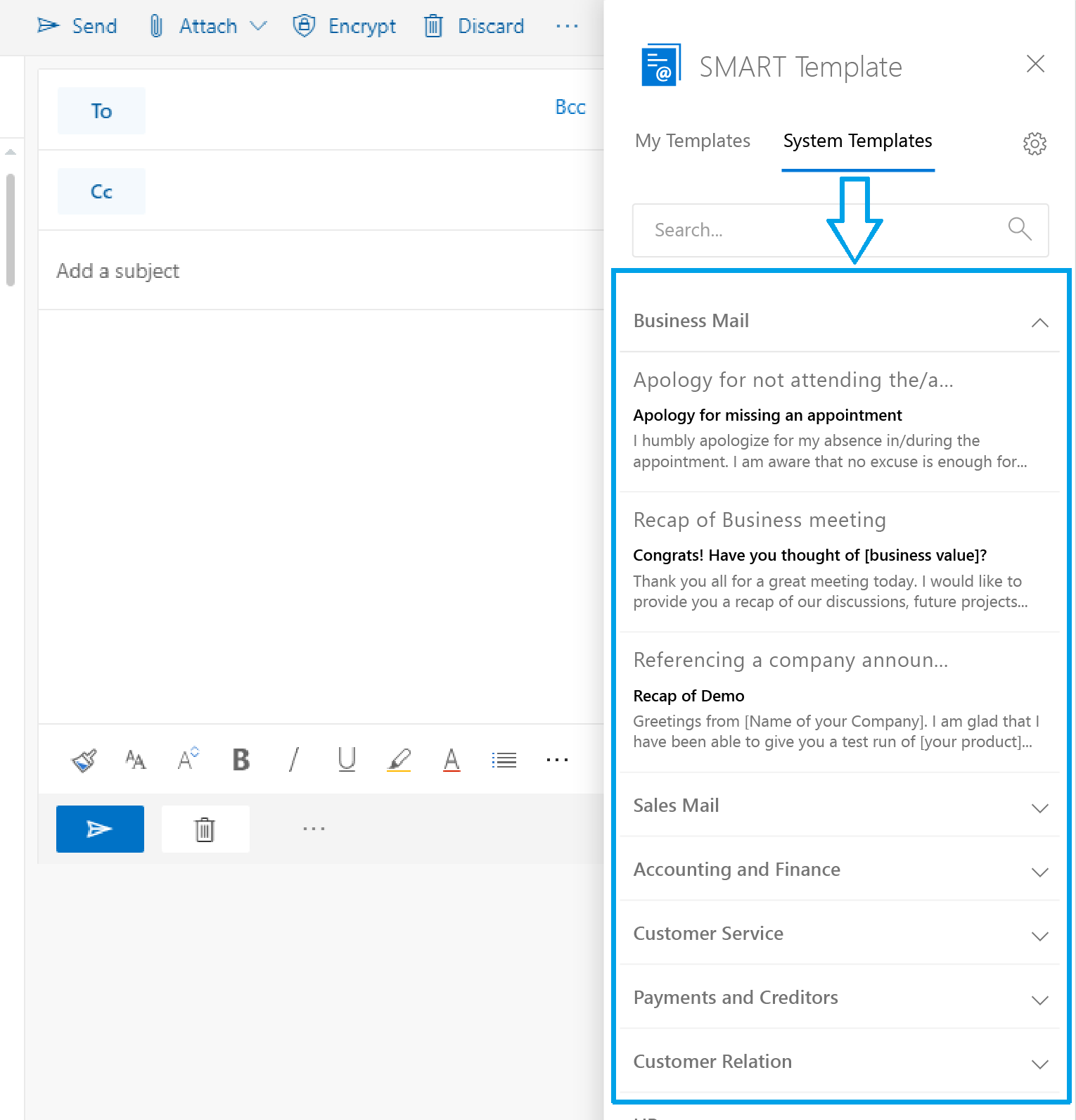
Use AI to create first drafts, then manage and reuse templates in the cloud so every reply is faster, cleaner, and on-brand.
Browse categorized business email templates and quickly find the right message for common scenarios.
Turn a short prompt into a polished email template, then edit and save it for personal or team use.
Manage templates across individuals or groups and accept shared templates when needed.
Find the exact template you need right away instead of rewriting similar emails again and again.
Take a quick look before using a template so the message fits the situation before it goes into the draft.
Save your most-used templates for even faster access during your daily workflow.
Business email communication is repetitive, time-consuming, and often hard to keep consistent. SMART Template helps teams speed up common email workflows with professional templates that are always available inside Outlook.
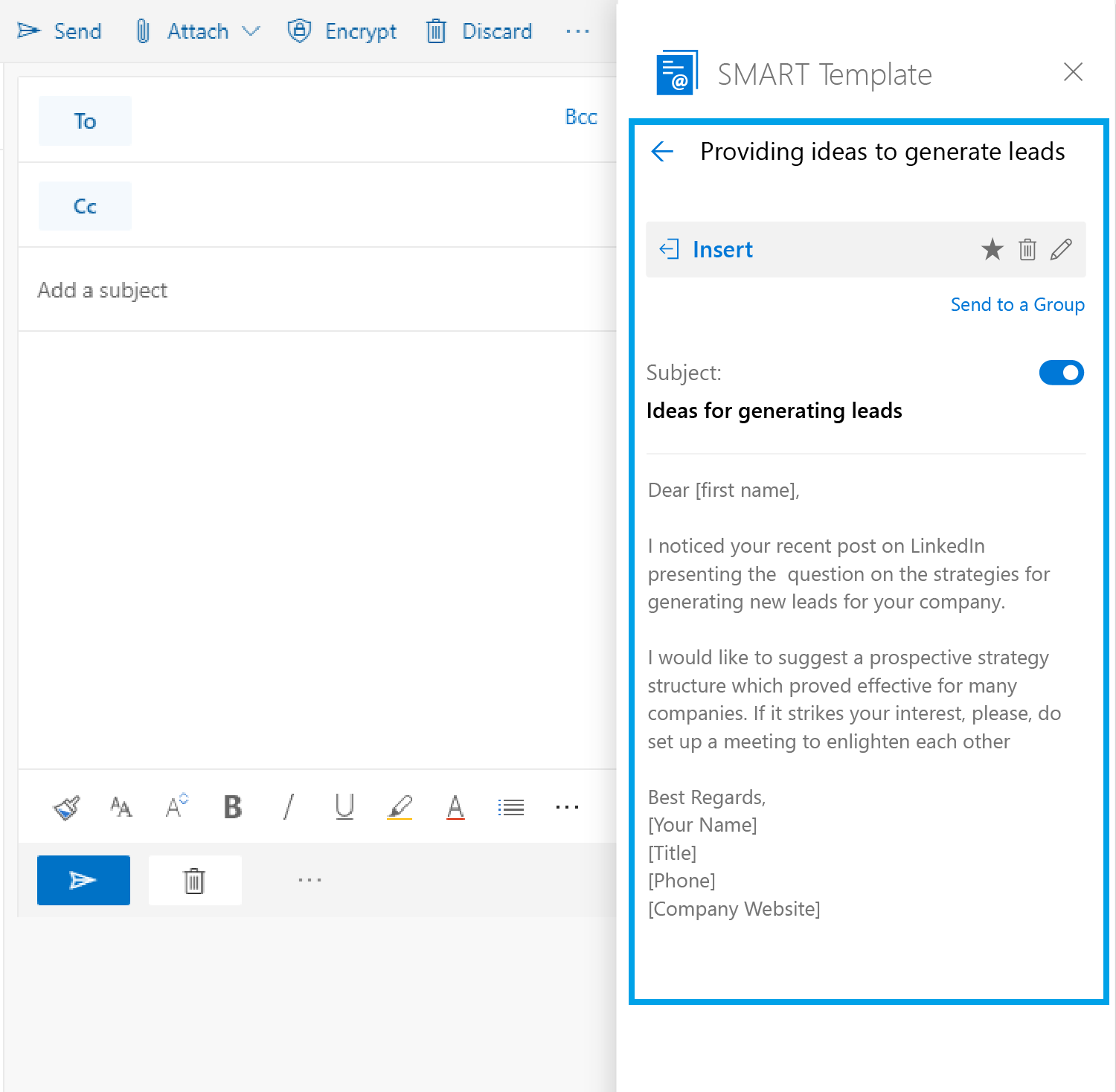
Users can inspect template details before inserting them, helping them select the right message faster and with more confidence.
The workflow stays simple and fast: search, preview, and insert directly into the message body without breaking focus.
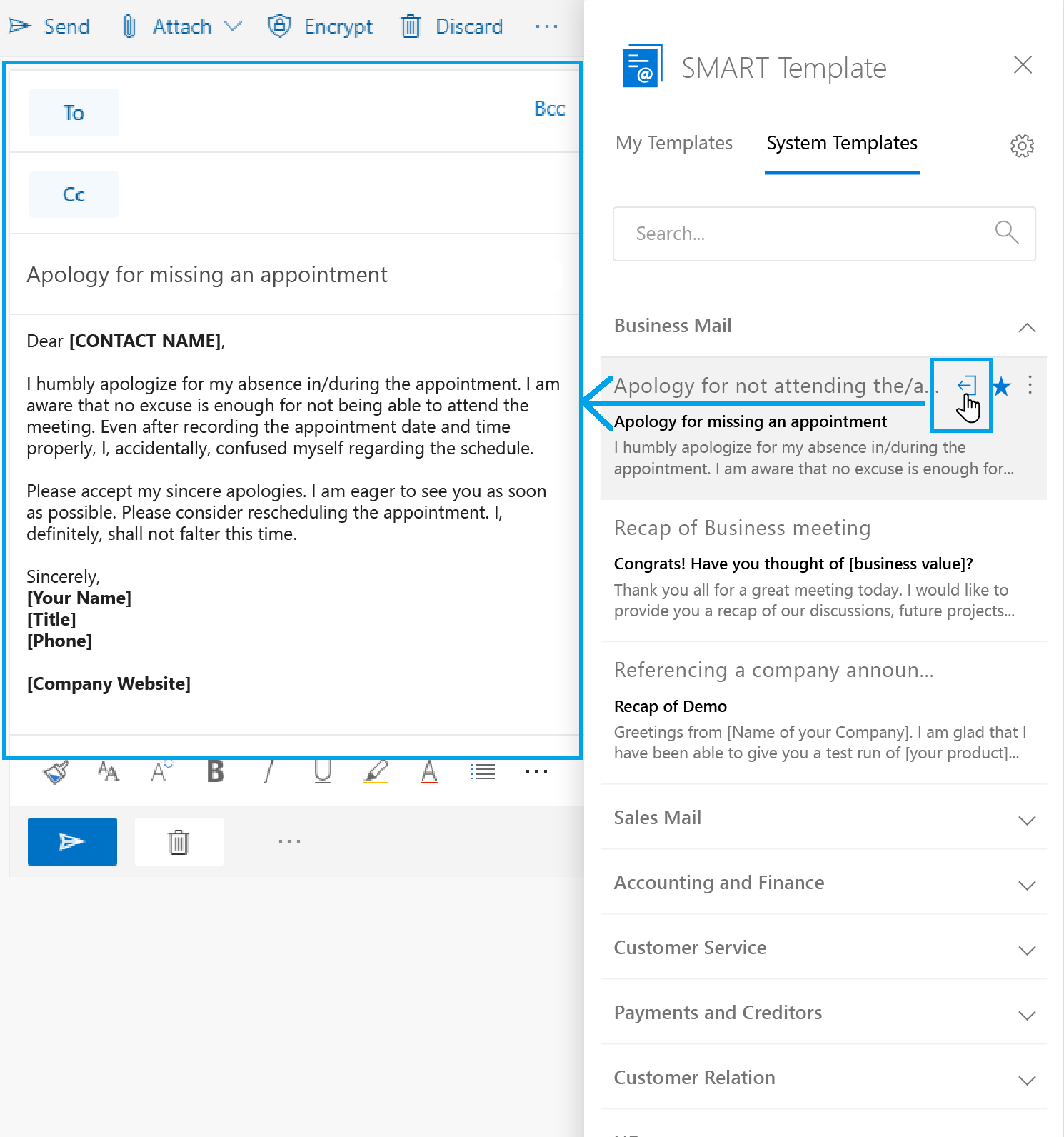
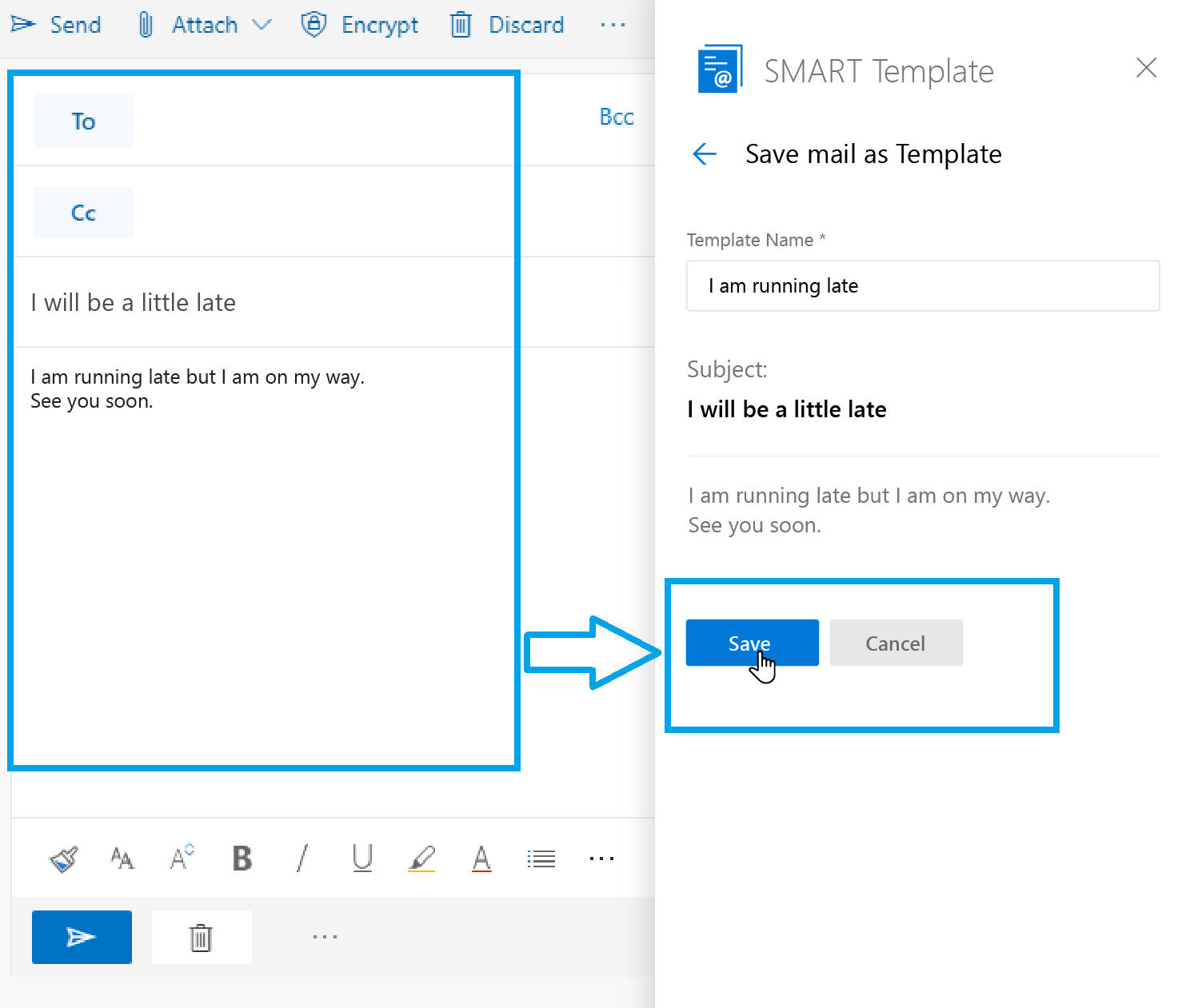
Compose personalized templates for future use and build a reusable email workflow around the messages your team sends most often.
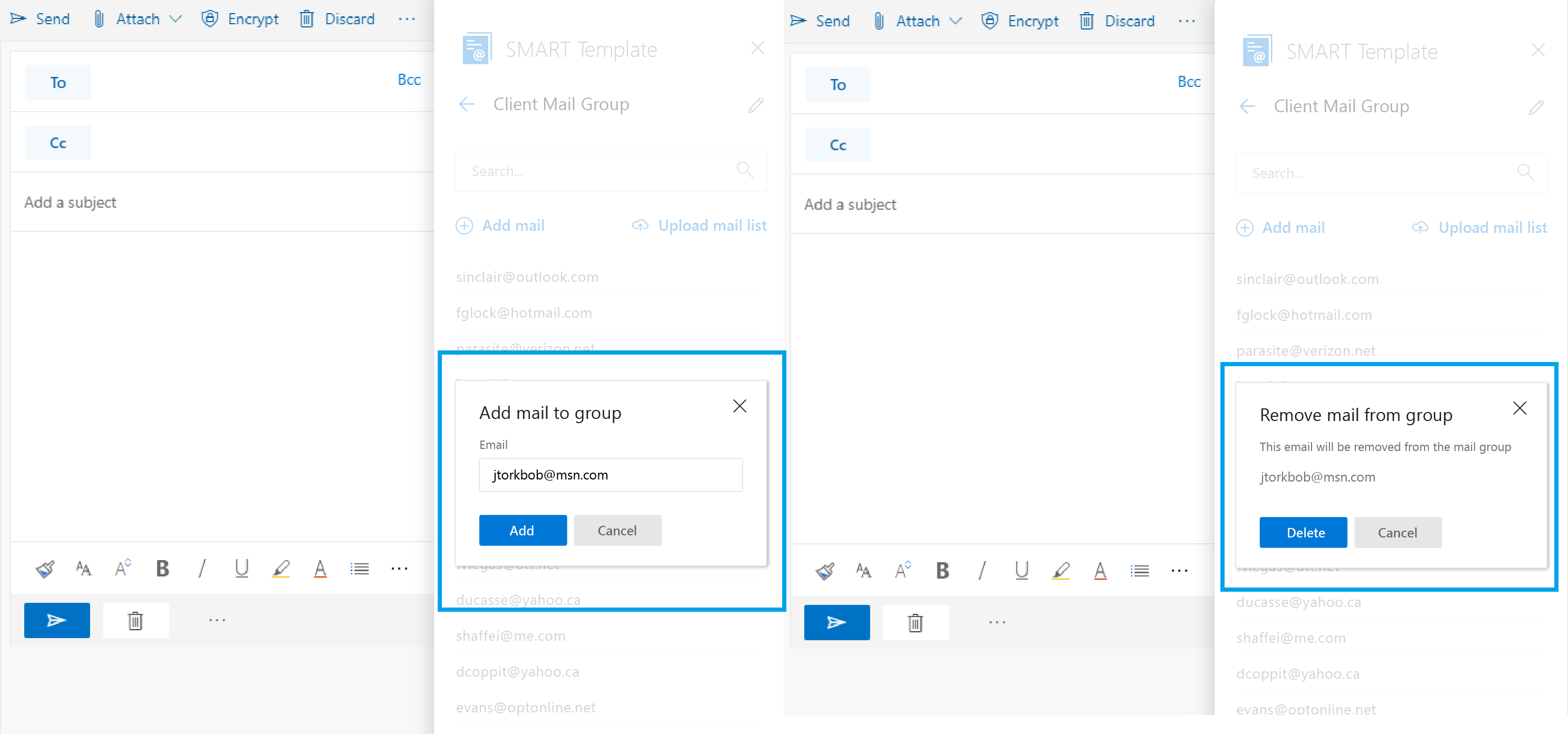
*This feature works only in Outlook 2016 and Outlook Online.Maintain email groups for scenarios where the same message needs to go to multiple people, saving even more time on routine communication.
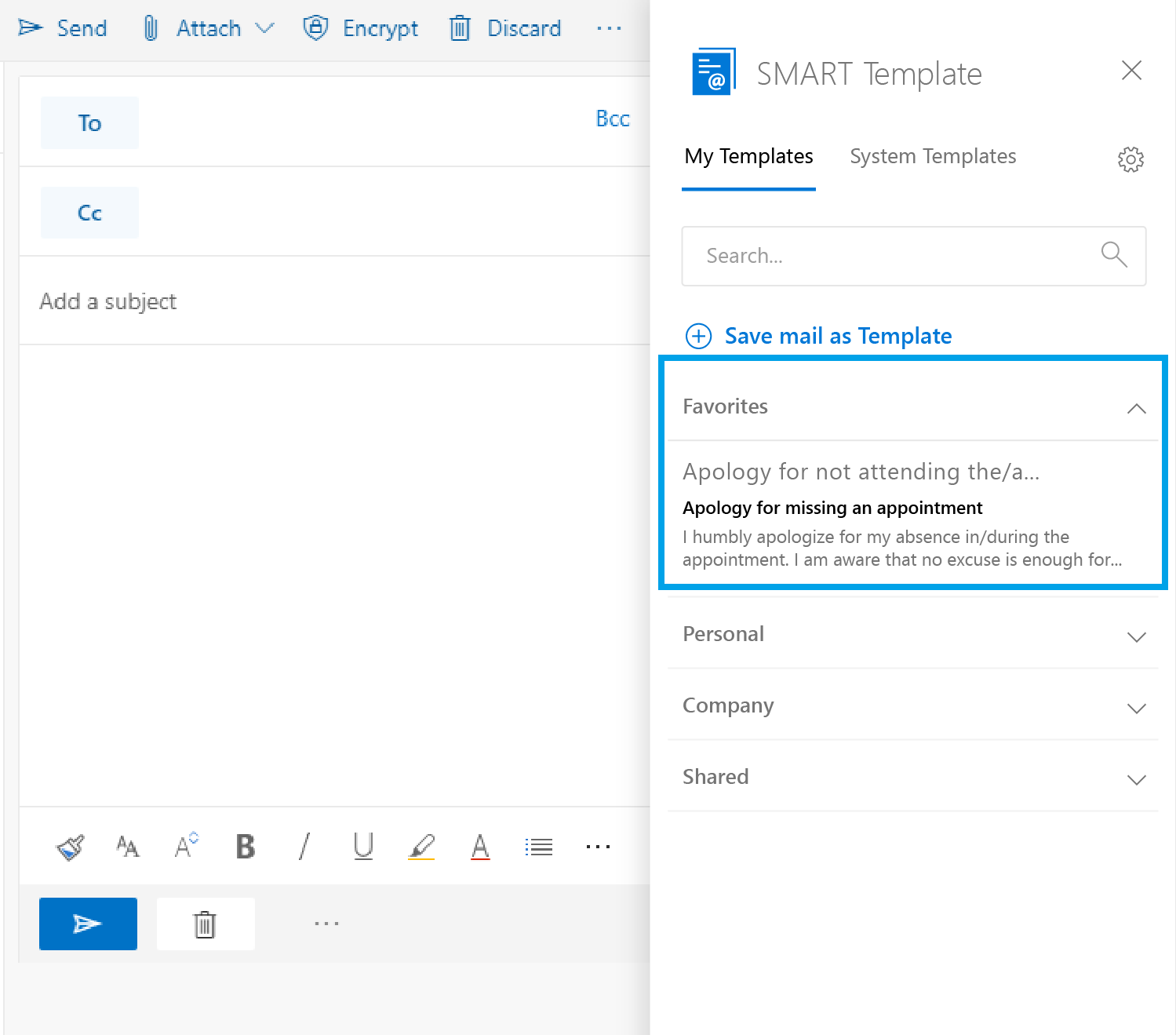
Mark popular templates as favorites for faster access and a smoother daily workflow.
Install from Microsoft AppSource and let your team generate professional email templates with AI, then reuse them in Outlook with one click.

Have a question or need help? Send us a message and we'll get back to you as soon as possible.
Or reach us directly at info@ixorasolution.com